

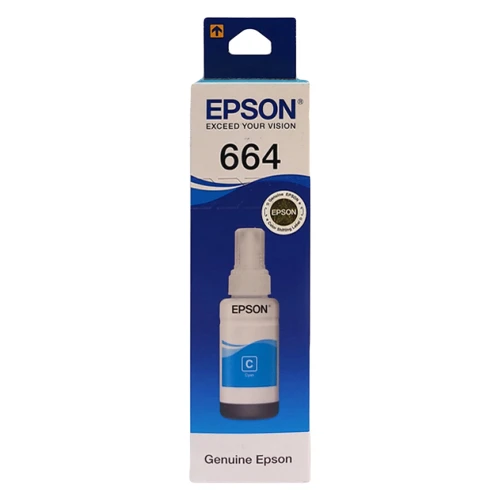
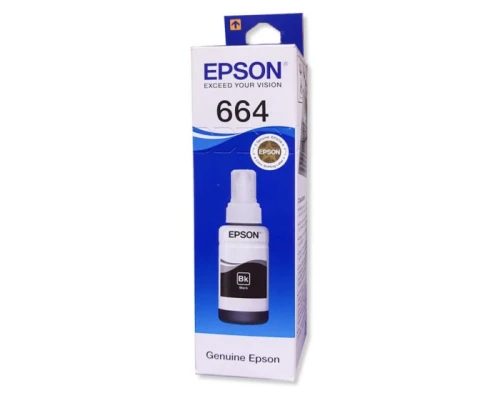
Epson 664 Cyan Ink Bottle
✅ Available Save ৳ 150 (- 17)% SKU: IC--05887 Brand: EPSON
Epson Inkjet 664 Cyan Refill for L100/L130/L1300: Key Features
Warranty: null
- Cost-Effective: Refilling your ink cartridge is generally less expensive thanbuying new cartridges, helping you save money in the long run.
- Environmental Benefits: By refilling cartridges, you reduce plastic waste, contributing to a more sustainable environment.
- Convenience: Having a refill kit allows you to refill your cartridges at your convenience without waiting for replacements to arrive.
- Epson 664 Cyan Ink refill kit(includes ink and a syringe)
- Protective gloves(to keep your hands clean)
- Paper towels(for any spills)
- A flat surface(to work on)
- Prepare Your Workspace: Set up a clean area on a flat surface. Lay down paper towels to catch any potential spills.
- Remove the Ink Bottle Cap: Open the Epson 664 Cyan ink bottle and remove the cap. If applicable, make sure the nozzle is clear.
- Remove the Ink Cartridge: Turn off the printer and carefully remove the cyan ink cartridge fromthe printer. Refer to the user manual if you are unsure how to do this.
- Locate the Fill Hole: Identify the fill hole on the cartridge. Depending on the model, this may be located on the top or side of the cartridge. Some cartridges may have a sealed cap or sticker that you will need to remove.
- Prepare the Syringe: Use the syringe provided in the refill kit to draw the Epson 664 Cyan Ink. Ensure there are no air bubbles in the syringe for accurate refilling.
- Inject the Ink: Insert the syringe needle into the fill hole and carefully inject the ink into the cartridge. Fill it slowly to avoid overfilling. Stop when the ink reaches the maximum fill level or when you see ink nearing the fill hole.
- Seal the Cartridge: If the cartridge has a removable cap or sticker, replace it securely to prevent leakage. Make sure the area around the fill hole is clean and dry.
- Clean Up Excess Ink: Wipe any spilled ink from the cartridge with a paper towel. Make sure the contacts are clean before reinstallation.
- Reinstall the Cartridge: Insert the refilled cartridge back into the printer, ensuring it is seated properly.
- Test Your Printer: Turn on the printer and run a test print to verify that the refill was successful. Check the print quality and colors to ensure everything is functioning correctly.
- Use High-Quality Ink: Always use genuine or high-quality compatible ink to maintain print quality and prevent damage to your printer.
- Handle Cartridges Carefully: Take care not to touch the print head or electrical contacts while handling the cartridge.
- Monitor Print Quality: After refilling, keep an eye on print quality. If you encounter issues like streaking or faded colors, check for clogs in the print head.
Why Buy EPSON Epson 664 Cyan Ink Bottle in Bangladesh?
The Epson 664 Cyan Ink Bottle is one of the most reliable options available in Bangladesh. It offers excellent performance, durability, and value for money. If you're looking for authentic EPSON products with Warranty: null support, this model is a perfect choice.
Who Should Buy This Product?
- Home users
- Office and business use
- Professional users
What is the price of Epson 664 Cyan Ink Bottle in Bangladesh?
৳750
Is this product available in stock?
Yes, it is currently available.
Does it come with warranty?
Please check the description section for warranty details and Call for Update warranty Details
Total : 0.00
Write a Review