

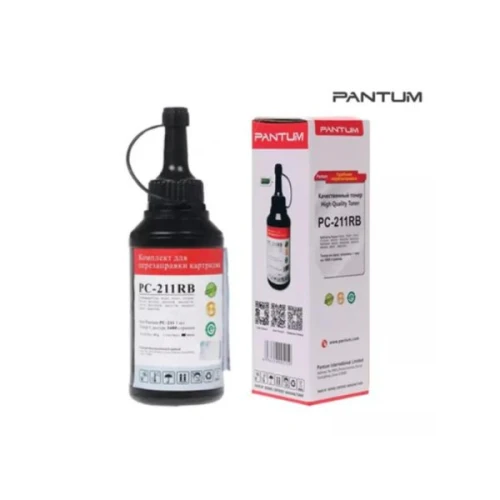
Refill Pantum Pc-211Rb P2200/P2500/P2500W Black Kit
✅ Available Save ৳ 250 (- 19)% SKU: IC--11730 Brand: PANTUM
Quick Refill Guide for Pantum Black PC-211RB Cartridge Materials Needed:
Warranty: null
- Refill Kit:Ensure you have a compatible toner refill kit for the PC-211RB cartridge.
- Screwdriver:A small Phillips screwdriver for opening the cartridge.
- Scissors or Utility Knife:For opening toner packaging.
- Paper Towels or Cloth:To keep your workspace clean.
- Gloves:To avoid toner stains on your hands.
- Preparation:
- Gather all materials in a clean, well-lit workspace.
- Wear gloves to protect your hands from toner dust.
- Open the Cartridge:
- Locate the screws on the cartridge. Usually, there are 2-3 screws that need to be removed.
- Use the screwdriver to carefully unscrew them and open the cartridge casing.
- Remove Old Toner:
- Dump any remaining toner from the cartridge into a sealed bag for disposal.
- Clean the inside of the cartridge with a dry cloth to remove any dust or clumps.
- Fill with New Toner:
- Open your refill toner bottle carefully.
- Using a funnel, slowly pour the new toner into the cartridge. Be careful not to overfill; about 80% full is sufficient.
- Ensure that the toner fills the compartment without spilling.
- Reassemble the Cartridge:
- Once filled, close the cartridge carefully.
- Reinsert and tighten the screws to secure the casing.
- Test the Cartridge:
- Insert the refilled cartridge back into your printer.
- Print a test page to check for print quality and ensure that the cartridge is working properly.
- Storage:Store any leftover toner in a sealed container to avoid contamination.
- Cleaning:Regularly clean your printer to prevent toner buildup and maintain print quality.
- Use Quality Toner:Always use high-quality toner for best results.
Why Buy PANTUM Refill Pantum Pc-211Rb P2200/P2500/P2500W Black Kit in Bangladesh?
The Refill Pantum Pc-211Rb P2200/P2500/P2500W Black Kit is one of the most reliable options available in Bangladesh. It offers excellent performance, durability, and value for money. If you're looking for authentic PANTUM products with Warranty: null support, this model is a perfect choice.
Who Should Buy This Product?
- Home users
- Office and business use
- Professional users
What is the price of Refill Pantum Pc-211Rb P2200/P2500/P2500W Black Kit in Bangladesh?
৳1100
Is this product available in stock?
Yes, it is currently available.
Does it come with warranty?
Please check the description section for warranty details and Call for Update warranty Details
Total : 0.00
Write a Review